I asked about it and told that page was abandoned. It is not available and there are no plans to add it.
Ohhhhhhhhh
Thanks Matt
I’m hoping since this is a Mychron discussion I can get some yes and opinions on this.
A few times this season our Mychron 5 will not pick up lap times. It shows one lap that’s the entire length of the event. I’ve tried deleting all of the memory, but that seems like a temporary fix as I deleted the memory Saturday, and had the same issues again Sunday.
It’s an intermittent issue.
We run direct power from out starter battery and someties have a Smarty Cam running.
Did you download the data? RS3 Analysis will fix the lap timing issues if there is a real event logged.
Without seeing the data file, it’s hard to say. The gauge has a point and a width that is the s/f line. If for some reason that area is not hit, it won’t log a lap, but will log all the data. That reason can be GPS issues, bad track data, and a few other things. When you download the data into RS3, it basically does a GPS Lap Insert from the RS2 days and assigns the track information based on the GPS coordinates. There are some cases where you will manually have to choose the track and/or set a width, but then you would have all your data.
On the device, I’ve found when there is an issue you can delete all the tracks (not memory) and then reload just the track you’re running. If there are multiple configurations of that track, only load the one you are running that day. That normally resolves any problems.
Feel free to reach out with data or more questions.
I did not download those events into RS3, so I will have to check that out.
Yes, if you pull the data into Analysis you can fix it and split the laps up by designating a finish line. Sometimes this happens if GPS signal is weak.
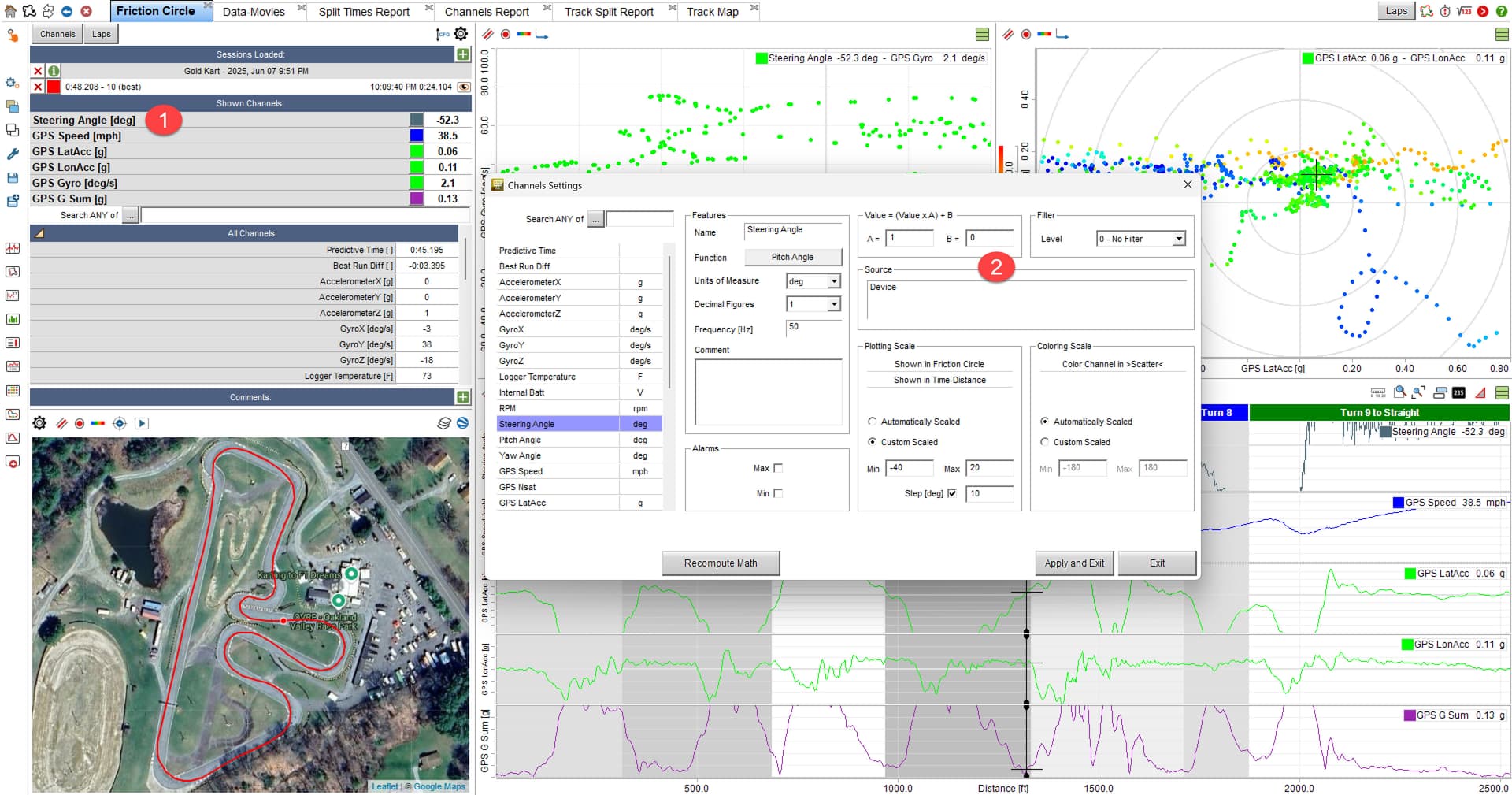
I’ve had my MC6 for several months now. I am trying to look more at data, but I’m not very good yet. I’ve done the latest firmware upgrade. I can view the steering angle on my mychron screen and it looks correct, as in its at zero when the wheel is level. When I download my date to RS3, the steering angle channel will be off quite a bit, and doesnt seem to make sense. For instance, when going down a straight, it will say its at -39 degrees. Is there a way to get this to show correctly in my date channel?
You can offset the data. In the channels menu (where you select steering position) click the gear icon next to steering angle. Then change hte B value to 39 (or whatever it is off).
Can you email me the file? If there is something wrong, I want to work with AiM to get it fixed. [email protected]
Thank you! I will send you the file tonight.

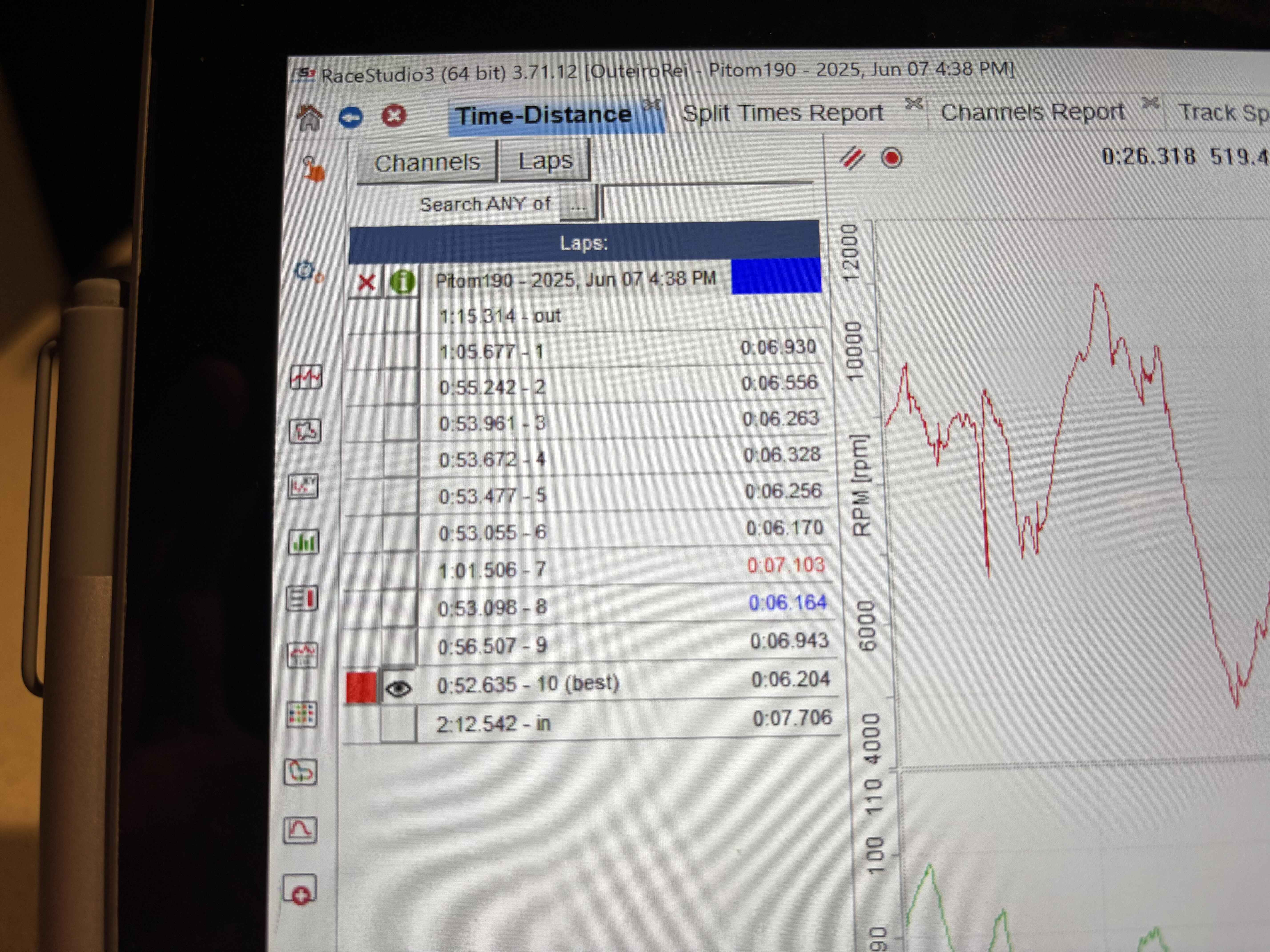
There can be a couple of things. The track s/f might be different. Second the computer recalculate the lap times with greater precision than the device can because of it’s extra memory and processor speed. Usually that will be a few thousandths if at all.
As allways,thanks Matt
Similar camera faliures this weekend with the Mychron 5/Smarty cam. Saturday, camera worked great for practice, Happy Hour, and Qualifying. Then for the Heat it recorded something, but it won’t play.
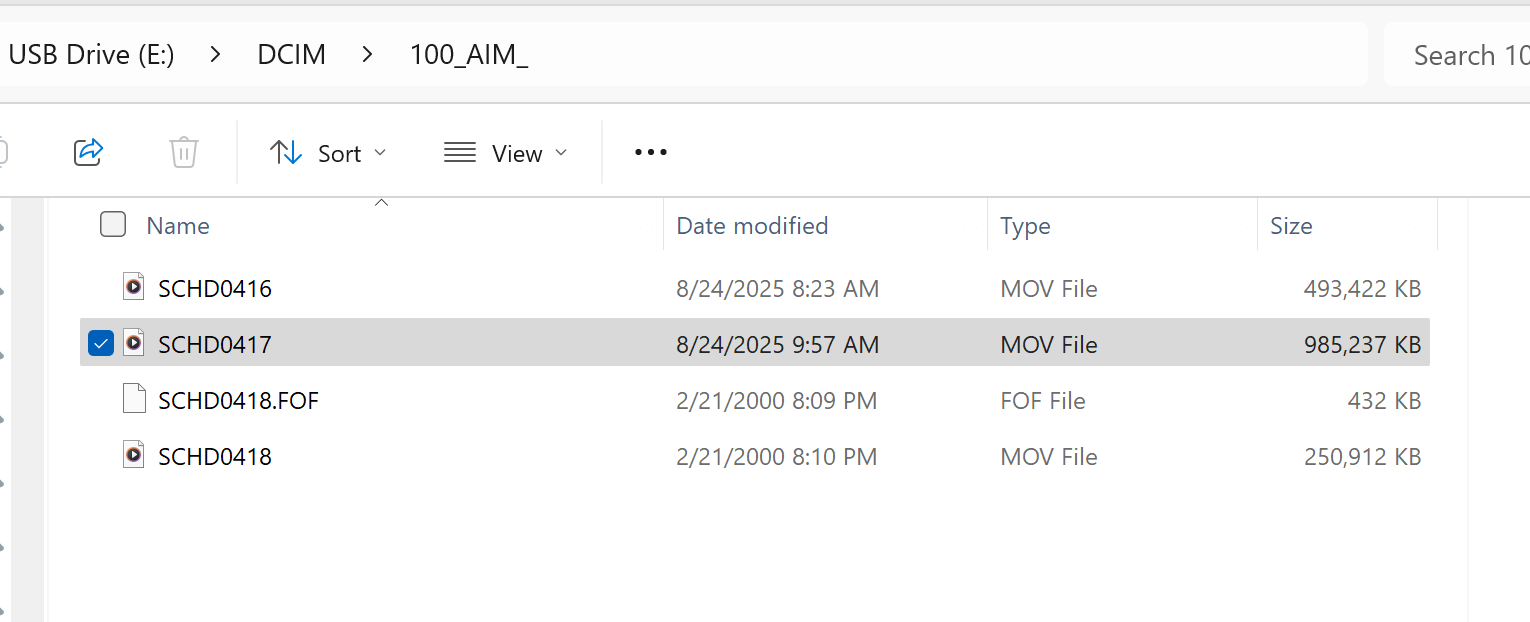
Sunday morning bought a brand new Scandisk 128 GB card and formatted in the camera. It worked great for warmup and heat 1. For the final, had the same exact failure as Saturday. Below are some images. You can see the dates are correct for the videos that work. But then on the failed video is shows a date of 2/21/2000
and when I try to play the video:
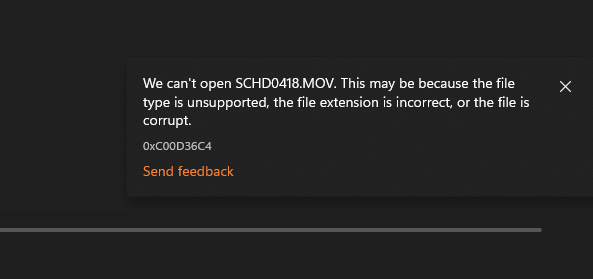
The files were not closed properly. Its most likely thw card was removed early or the power failed.
Import the videos into RS3 like a data file and it will fix them for regular playing.
Thanks for the response! We power the camera from our onboard battery. Is there a procedure to follow before taking the card out of the camera?
You want to make sure it’s not still recording. There is a setting in the menus on camera for how long it records after you stop. I like 1 min. Also make sure the power to the camera stays on for that long. Sometimes if the battery is really dead and the power is removed, it will not have power long enough to close the file.
Hello folks,
I just buy my fresh 6 2t after using mychron 5 2T for few years.
Now I do struggle with the lap summary. I race in X30 IAME and get use with the 5 to have during the lap summary the max / mini exhaust temp displayed during lap summary for 15 seconds. (this allows me to check my carburator settings)
I can’t have the same disply with the 6, looks like the lap summary gives “live” exhaust temp which is moving, few seconds after only I do have fix exhaust temp with mini and max, I add that I do not have temp value the rest of the lap, I use the predictive layout with only +/- Best Time, Lap number and water temp. It looks like I do have 2 lap different lap summary, super weird. What I do wrong here? Any lights should be warmly welcome!
Roman
I would like to share an issue I had with the MyChron6 and how I believe I resolved it. I recently bought an OTK chassis and set it up for LO206 and I am running the MyChron6. After my first race event, the kart sat for a couple weeks until I started prepping for the next event. I plugged in a charger via USB-C and the unit powered up, and the display backlight was alternating between full and about half brightness at about 1/2 Hz (basically 1sec at full, 1sec at half). This went on for not much more than a minute, then the display turned off completely like it was powered off. I let it charge a bit but was not able to get the unit to power back up. I tried a higher-power charger, tried different cables, all with no change. I also tried charging via the expansion port using the AC charger for my Solo2 but this did not bring a different result. The unit appeared to be non-functional so I began contemplating sending it in for warranty repair.
However, it happens to be that I am an electrical engineer, and so knowing there was little chance of getting a warranty repair to happen before my next event, I went a little deeper trying to troubleshoot the issue.
Since it did not seem to be responding to the charger, I tried plugging the USB-C port into my laptop instead and when I did the dash powered up and started running normally. Note that I also started RaceStudio 3, but looking back I don’t recall the exact sequence I followed, but most likely I plugged in the dash first then started RS3, but I really don’t recall if the display came on immediately on power up or after RS3 started. Once I saw the dash display come on and it seemed to be searching for GPS signals, I switched it back to the USB charger and it continued to charge and ultimately reached 100% and now seems to be working fine.
When is the APP coming, is it once again a empty promise from AIM
Well maybe but I gotta say they are super accessible and helpful. Thankfully Big Telemetry is still humane.